


Scan inventory, verify deliveries, build orders—all without internet. Upload your lists, scan to verify, export your results. No complex setup. No training needed.
Works on any device with a camera. No app download required.
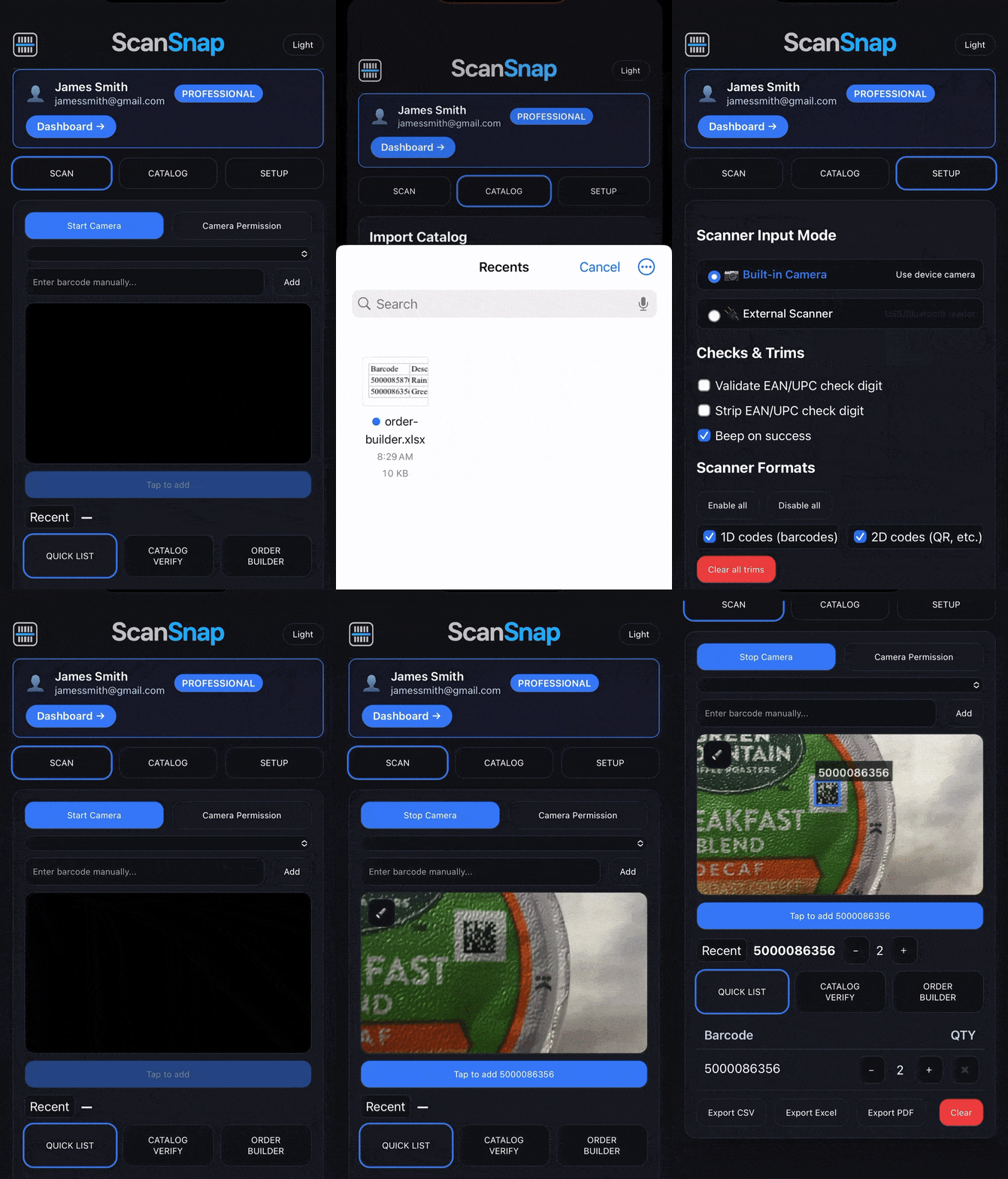
Pick your mode, start scanning. It's that simple.
Just need to capture barcodes quickly?
Got a list to check against?
Need to build orders from a catalog?
Simple problems, simple solutions
Upload your pick list, scan items as you pick them, export the completed list. No more paper and pen.
When recalls hit, upload the recall list and scan your shelves. Know exactly what needs to be pulled.
Verify deliveries by scanning against the packing list. Catch missing items before leaving.
Do cycle counts with a phone instead of clipboard. Export results straight to spreadsheet.
Scan parts used on jobs, build material lists, create reorder sheets from your van.
Scan supplies to reorder, verify office deliveries, track equipment with simple exports.
Scan in warehouses, basements, or remote sites. No WiFi? No problem.
Works on phones, tablets, computers. Just open your browser and scan.
No training, no manual, no setup. If you can use a camera, you can use this.
Everything processes in your browser. We never see your scans or lists.
Download as PDF, CSV, or Excel. Email it, save it, import it anywhere.
Start free. Upgrade when you need more. Cancel anytime. No surprises.
"Replaced our expensive handheld scanners. This just works better."
- Mike, Warehouse Manager
"I can finally do inventory counts without staying after hours."
- Sarah, Store Owner
"Upload list, scan items, export results. It's stupid simple."
- Tom, Operations Lead
Start free. Upgrade when you need more features.
All plans are single-user. Need multiple users? Contact us for team pricing.
No. ScanSnap runs in your web browser. Works on any device.
Yes. Once loaded, you can scan without internet. Sync when you reconnect.
Basic & Plus: Standard 1D barcodes (UPC, EAN, Code 128, etc.)
Pro: Adds QR codes and DataMatrix
Pro + DPMS (Coming Soon): Dot-peen and laser marks
Yes. Any USB or Bluetooth scanner that types like a keyboard works.
Export to PDF, CSV, or Excel. Then email, save, or import wherever you need.
Your scans and lists never leave your device. We can't see them.